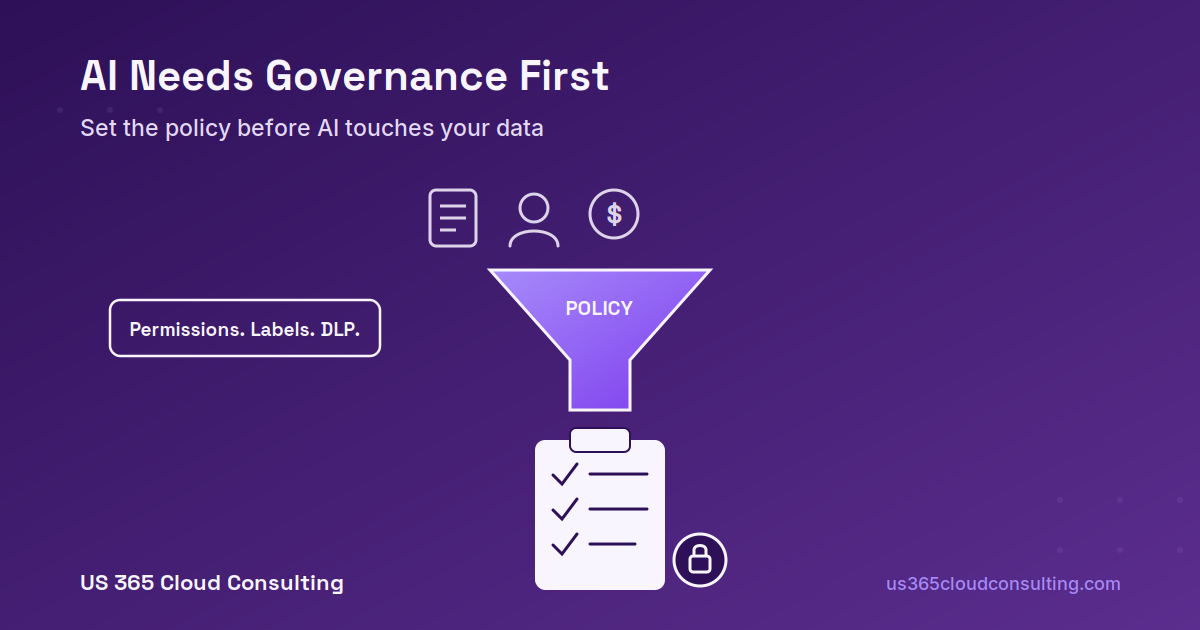
AI doesn’t create security problems in your Microsoft 365 environment — it reveals the ones that were already there. Microsoft 365 Copilot, Claude, and every other AI tool your employees are already experimenting with all operate on top of your existing permission structure. If file access has been loose for years, AI just makes that looseness easier to stumble into — and easier for an employee to trigger by accident, with a single prompt, instead of a slow manual search that might never happen.
That’s why the organizations getting the most value out of AI aren’t the ones who deployed fastest. They’re the ones who treated governance as the first project, not an afterthought.
Governance Is a Prerequisite, Not a Feature
It’s tempting to evaluate Microsoft 365 Copilot purely on productivity — how much time it saves drafting emails, summarizing meetings, or building a first-pass report. Productivity matters, but it’s the wrong starting question. The right starting question is: what will this tool be able to see, and have we actually checked?
Copilot respects your existing permissions exactly as configured. That’s the whole point and also the whole risk — if too many people already have access to sensitive content, AI will surface it to anyone in that group who asks the right question, not just the people who were supposed to stumble across it. Organizations that deploy AI before addressing data governance commonly run into the same handful of problems:
- Oversharing — SharePoint sites and Teams channels where permissions crept wider than intended over years of “just add everyone for now.”
- Missing classification — no sensitivity labels distinguishing public marketing content from HR records or client financials, so AI treats everything as equally fair game.
- No usage boundaries — employees genuinely unsure what’s okay to paste into an AI tool, so they guess, and the guesses aren’t always right.
- No accountability trail — nobody clearly responsible for reviewing AI-assisted output before it goes to a client or gets used in a decision.
None of these are AI problems specifically. They’re data hygiene and access-control problems that AI adoption forces you to finally confront.
The Shadow AI Problem
Here’s the uncomfortable reality for most SMBs: employees are already using AI, policy or no policy. The real risk isn’t whether AI shows up in your organization — it’s whether it shows up through an approved, governed channel or through whatever free tool someone found on their own. The biggest concern isn’t a sophisticated attack; it’s an employee unknowingly pasting client information, financial records, employee data, or a confidential contract into a public AI tool that has no relationship with your organization and no data protection commitment to you at all.
The goal of a governance program isn’t to eliminate AI use — that ship has sailed, and trying to ban it usually just pushes it further underground. The goal is to eliminate the uncertainty. Employees should never have to guess whether something is okay to use.
What a Practical AI Use Policy Actually Covers
A good policy doesn’t need to run forty pages. It needs to answer a short list of concrete questions clearly enough that nobody has to guess:
- Which tools are approved? Name them specifically — Microsoft 365 Copilot, Claude, whatever else your organization has vetted — rather than leaving it implicit. If company data stays inside your governed Microsoft environment when using an approved tool, say so; that’s the difference that matters most.
- What can go into a prompt, and what can’t? Spell it out concretely: client information, financial records, employee data, passwords, API keys, source code, and confidential contracts are common categories to explicitly exclude from any AI tool, approved or not.
- Who’s accountable for reviewing AI-assisted output? Especially for anything client-facing or decision-influencing, someone needs to own the review step — AI output isn’t a finished deliverable by default.
- What’s the process for a new tool request? Employees will keep finding new AI tools. A quick, low-friction path to request evaluation of a new one beats a blanket “don’t use anything we haven’t already approved” rule that nobody follows.
A simple rule that tends to stick with employees: if you wouldn’t hand that information to a stranger at a coffee shop, don’t paste it into a public AI tool.
Fix the Foundation Before You Write the Policy
A policy document alone doesn’t close the gap — it has to sit on top of actual technical controls, or it’s just words. Before rolling out AI broadly, the foundational work generally includes:
- Permissions review and remediation — auditing SharePoint, Teams, and external sharing settings so AI only surfaces content to people who should already see it, applying least-privilege access where it’s slipped.
- Sensitivity labeling — a taxonomy that lets sensitive content be automatically identified and handled appropriately, whether it’s being accessed by a person or an AI tool.
- DLP and communication compliance — controls that catch sensitive information before it’s exposed through an AI interaction, not after.
- Identity as the control plane — the same phishing-resistant MFA and Conditional Access discipline that protects every other cloud resource applies just as much to whatever’s feeding an AI tool.
Organize files, review who has access to what, and remove access that’s no longer justified. Build the foundation first — AI adoption on top of a clean environment is a very different risk profile than AI adoption on top of years of accumulated permission sprawl.
Regulatory Context Is Catching Up Too
If your organization operates internationally or in a regulated industry, governance isn’t purely a best-practice conversation anymore — frameworks like the EU AI Act are starting to impose real obligations depending on use case. Most everyday business uses of AI (drafting emails, summarizing documents, generating meeting notes) tend to fall into lower-risk categories. But specific use cases — using AI to help make decisions about individual employees, for instance, like performance assessments or promotion recommendations — can trigger higher-risk obligations requiring documented human oversight and a defined review cadence. Maintaining a simple internal inventory of where and how AI tools are actually being used makes this a manageable exercise instead of a scramble later.
Where to Start
If your organization hasn’t formalized an AI use policy yet, a reasonable sequence looks like this:
- Inventory what’s already happening. Which AI tools are employees using today, approved or not? You can’t govern what you haven’t identified.
- Run a permissions and sharing review before you expand AI access further — this is the single highest-leverage step most organizations skip.
- Draft a short, plain-language policy covering approved tools, prohibited data categories, and accountability for output review.
- Communicate it like it matters — a policy nobody’s read isn’t a policy, it’s a document.
- Revisit it periodically. AI tools and their capabilities are moving quickly enough that a policy written a year ago may already be missing a tool your team has adopted since.
Frequently Asked Questions
Do we need a formal AI policy if we’ve only deployed Copilot to a few people? Yes — small pilot groups are exactly when it’s easiest to establish good habits before broader rollout. Retrofitting a policy after AI use is already widespread is considerably harder.
Does a permissions cleanup need to happen before or after we write the policy? They can happen in parallel, but don’t finish the policy without at least starting the permissions review — a policy that assumes clean data governance when the underlying environment isn’t clean will create a false sense of security.
Is this only a concern for regulated industries? No. Oversharing and shadow AI risk apply to any organization with sensitive client, financial, or employee data — which is effectively every business, regulated or not.
How often should an AI use policy be reviewed? At minimum annually, but realistically whenever your organization approves a new AI tool or Microsoft rolls out a Copilot capability that changes what data it can reach.
Can one policy cover both Copilot and other AI tools like Claude? Yes, and it generally should — a policy scoped narrowly to a single named product tends to leave gaps the moment your organization adopts a second tool.
If you’re ready to formalize an AI use policy — or want a permissions and sharing review before you expand Copilot or any other AI tool further — that’s exactly the kind of groundwork we help clients get right before AI adoption, not after something goes wrong.
US 365 Cloud Consulting | info@us365cloudconsulting.com | 603-759-8721 | us365cloudconsulting.com
This post is provided for informational purposes based on publicly available industry guidance as of September 2026. It does not constitute legal advice; consult qualified counsel for regulatory obligations specific to your organization and jurisdiction.
Leave a Reply