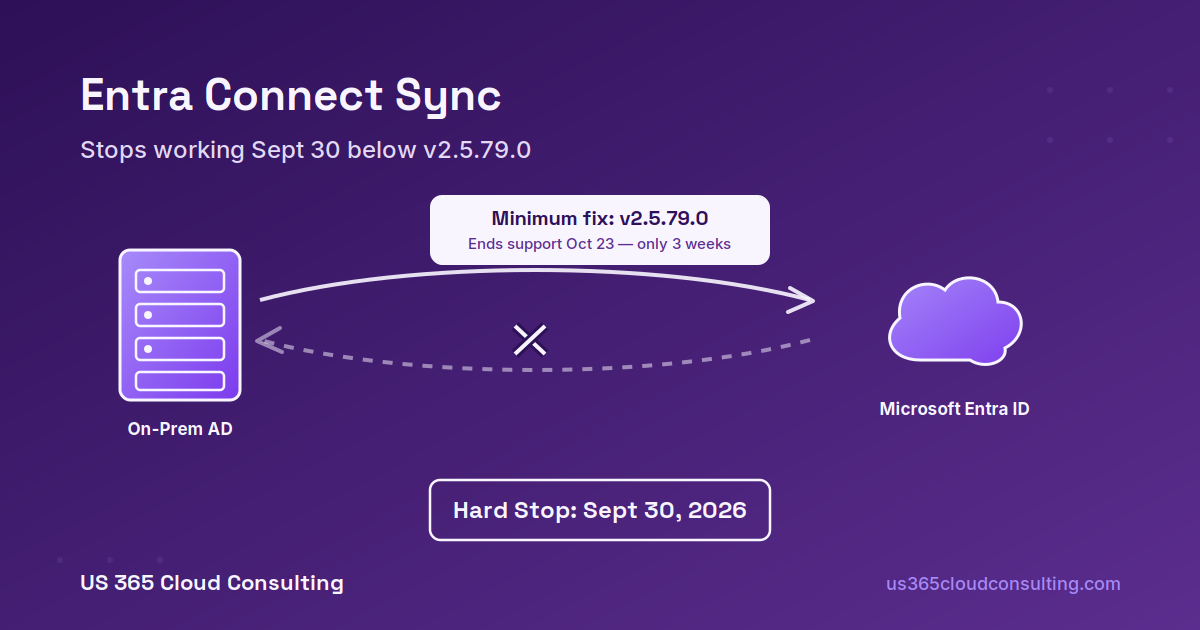
If your organization runs hybrid identity — on-premises Active Directory synced into Microsoft Entra ID — every Entra Connect Sync installation below version 2.5.79.0 stops synchronizing entirely on September 30, 2026. Not a warning. Not a slowdown. Microsoft’s own documentation calls it a “Mandatory Upgrade Required” notice, and it means exactly what it says: synchronization services fail until you upgrade.
What’s Actually Happening
In May 2025, Microsoft released Entra Connect Sync version 2.5.79.0 with a back-end service change that hardens how the sync engine talks to Microsoft Entra ID. Customers who were auto-upgraded were never at risk. But any tenant that opted out of auto-upgrade — or where an upgrade silently failed — is running toward a hard cutoff.
On September 30, 2026, Microsoft’s back-end hardening change goes into effect. Anything still on a version older than 2.5.79.0 will find its synchronization services simply stop. That includes:
- Password Hash Synchronization
- Export to Microsoft Entra ID
- Attribute and group membership updates
- Writeback features
The practical symptoms aren’t always an obvious “everything is down” moment. More often it looks like stale users and groups, delayed attribute changes, broken provisioning for new hires, or password changes on-premises that never make it to the cloud. For an organization with active joiner/mover/leaver processing, that’s still a critical identity incident — it just doesn’t announce itself as loudly as a full outage.
The Trap: the Minimum Fix Doesn’t Last
Here’s the part that catches admins off guard. Version 2.5.79.0 is the minimum version that survives the September 30 cutoff — but it’s also a version Microsoft has already scheduled for its own end of support on October 23, 2026. An admin who reads the prerequisites page, upgrades to exactly the version named in the warning, and closes the ticket has bought themselves roughly three weeks before the next required upgrade conversation starts.
The better move, and what we recommend to every client running hybrid identity, is to skip the minimum entirely and install the latest available build listed by Microsoft at the time of your upgrade — not just the version number mentioned in the deadline notice. Worth flagging too: Microsoft recalled version 2.6.79.0 in its June 2026 version history and instructed anyone who installed it to uninstall and move to the next available release. Check the current release notes before you upgrade, not just the deadline page.
Two Prerequisites People Miss
Before you can even install the required version, your server needs:
- .NET Framework 4.7.2 or higher — not optional backward compatibility, a hard requirement.
- TLS 1.2 support — older TLS versions are blocked outright.
If your Entra Connect server has been humming along untouched for a few years, there’s a real chance it’s sitting on an older Windows Server build that doesn’t meet these baseline requirements. That’s not a five-minute patch — it’s a maintenance window that needs to be scheduled, tested, and approved, which is exactly why this deadline deserves attention now rather than in the last week of September.
What About Cloud Sync?
If you’re evaluating your options here, it’s worth being precise about terminology: this September 30 deadline is specifically about Entra Connect Sync, the traditional on-premises sync agent. It is a separate track from Entra Cloud Sync, Microsoft’s lighter-weight, cloud-managed alternative for simpler hybrid scenarios. Cloud Sync isn’t a lesser fallback — for a meaningful share of mid-market environments, it’s genuinely the better tool today, with less on-premises infrastructure to maintain and patch on Microsoft’s release cadence.
For organizations with more complex sync topologies (multiple forests, custom attribute flows, exchange hybrid writeback), staying on Entra Connect Sync and simply keeping current with releases is usually still the right call — you just can’t let it go stale again.
Your Action Plan Before September 30
- Check your current Entra Connect Sync version today. This takes minutes and tells you immediately whether you’re already compliant, close, or facing a real project.
- Inventory every active and staging/failover server. A secondary server that could become active during a failover needs to be included in your upgrade plan — it’s easy to patch the primary and forget the backup.
- Confirm .NET Framework 4.7.2+ and TLS 1.2 are in place before you attempt the sync engine upgrade itself.
- Install the latest available release, not the bare minimum — the .msi is exclusively available through the Microsoft Entra admin center.
- Consider whether Cloud Sync is a better long-term fit if your topology is simple enough to make the move, rather than committing to another round of on-prem patching in a few months.
Frequently Asked Questions
What happens if we miss the September 30 deadline? Synchronization services stop and remain stopped until you upgrade to at least version 2.5.79.0. Users can still sign in to already-synced accounts with cached credentials, but new users, group changes, and password updates from on-premises Active Directory stop flowing to the cloud until sync is restored.
Does this affect Password Hash Sync specifically, or all sync features? All synchronization services are affected — Password Hash Sync, Pass-Through Authentication, attribute writeback, and standard object sync are all part of the same engine and all stop together.
Is this the same thing as the DirSync retirement? No. The legacy Active Directory Synchronization Services tool (DirSync) is already deprecated and blocked separately. This September 30 deadline is a version-hardening requirement specific to modern Entra Connect Sync — a different, and more current, issue.
Do we need to buy anything to comply? No. The upgrade itself is free — it’s a standard Entra Connect Sync release available through the Entra admin center. The cost is the internal time to test, schedule, and execute the upgrade, particularly if server prerequisites need updating first.
How do we know if we were auto-upgraded already? Check your installed Entra Connect Sync version directly in Synchronization Service Manager or via PowerShell. Don’t assume auto-upgrade caught you — Microsoft’s own guidance notes that auto-upgrade can fail silently, which is part of why this deadline exists in the first place.
Hybrid identity infrastructure has a way of running quietly for years until a deadline like this one forces the issue. If you’d like us to check your current Entra Connect Sync version, review your server prerequisites, and map out whether Cloud Sync makes sense for your environment before September 30, reach out and we’ll take a look.
US 365 Cloud Consulting | info@us365cloudconsulting.com | 603-759-8721 | us365cloudconsulting.com
This post is provided for informational purposes based on publicly available Microsoft documentation as of September 2026. Always confirm current version requirements and release notes in the Microsoft Entra admin center before performing an upgrade.
Leave a Reply